
If you run a Shopify store and use custom forms—for contact requests, wholesale inquiries, quote requests, file uploads, or surveys—you’ve likely experienced spam submissions. Bots continuously scan the web for forms they can exploit, flooding inboxes with junk messages, fake leads, and sometimes malicious links. This not only wastes time but can also degrade store performance and data quality.
In this post, we’ll explain why CAPTCHA is essential for Shopify custom forms and how Simply Forms protects your store using Cloudflare Turnstile — a high‑performance, low-friction CAPTCHA that’s enabled by default for all plans.
Why spam targets Shopify custom forms

Shopify checkout and customer login pages include native anti-spam protections, but custom forms often lack these safeguards while remaining publicly accessible and easy to discover. Bots can:
- Submit thousands of fake entries in minutes
- Inject phishing or malware links into message fields
- Upload unwanted or harmful files
- Skew analytics and CRM data with bogus leads
- Overload notification emails or backend storage
Because many custom forms collect rich data (text, files, URLs), they’re particularly attractive to automated abuse.
What CAPTCHA does (and why it matters)
CAPTCHA (Completely Automated Public Turing test to tell Computers and Humans Apart) distinguishes real users from bots before allowing a form submission. Effective CAPTCHA should:
- Block automated scripts and headless browsers
- Require little or no user interaction
- Load fast and not slow down your page
- Respect user privacy
- Work reliably across devices and regions
Without CAPTCHA, any public form endpoint is vulnerable by default.
The downside of traditional CAPTCHA
Older CAPTCHA systems often rely on distorted text or image challenges. While they can stop simple bots, they come with trade‑offs:
- Friction: puzzles interrupt the user journey and hurt conversions
- Accessibility concerns for some users
- Slower load times from heavy scripts
- Privacy concerns from extensive tracking
- Higher failure rates on mobile or poor networks
For merchants, this means fewer legitimate submissions and more abandoned forms.
Simply Forms + Cloudflare Turnstile: invisible, fast, effective

Simply Forms uses Cloudflare Turnstile to protect every form submission. Turnstile analyzes browser and interaction signals to verify that a visitor is human—without showing puzzles in most cases.
Key benefits:
- Invisible or Non-interactive protection: No challenge for the vast majority of users
- High performance: Lightweight, fast verification at the edge
- Privacy‑focused: No cross‑site tracking cookies
- Accessible: Works seamlessly across devices and assistive tech
- Bot‑resistant: Advanced detection against modern automation
Best of all, Turnstile is enabled by default on all Simply Forms plans, so your forms are protected out of the box—no setup required.
No configuration, no compromise
Security features are often disabled by default or require technical setup. Simply Forms takes the opposite approach: CAPTCHA protection is built‑in and always on, with no impact on your form design or performance.
You focus on collecting meaningful submissions—Simply Forms handles the spam.
Get started with spam‑free forms
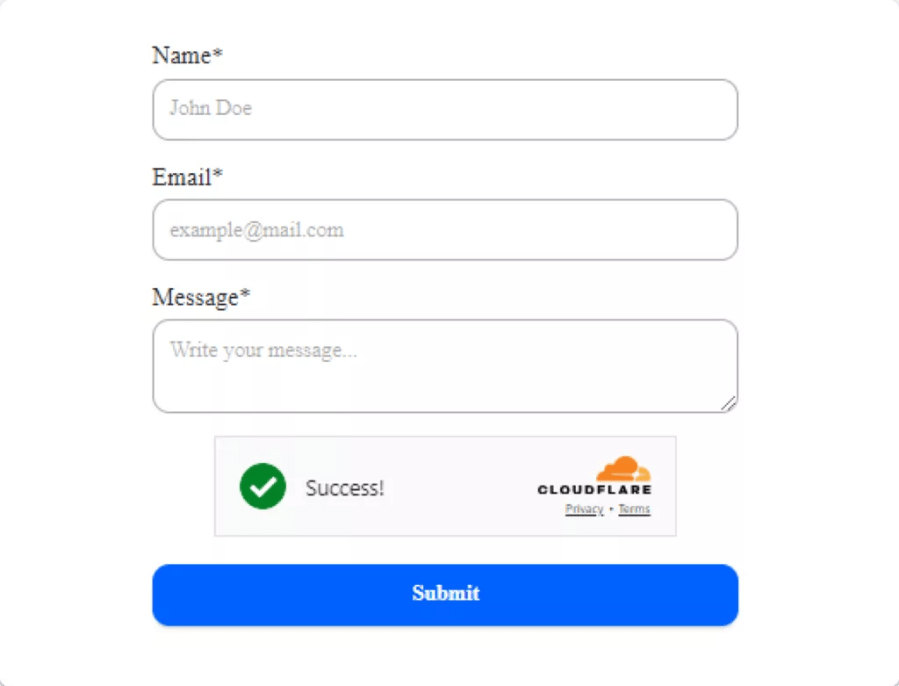
If you’re building custom forms on Shopify, don’t leave them exposed. Use Simply Forms to deploy secure, high‑converting forms protected by invisible or non-interactive CAPTCHA from day one.
One thought on “Why Your Shopify Custom Forms Need CAPTCHA for Spam Protection”